Lesson 3 of 5 · 6 min
Reviewing and applying prices
A weekly routine for the Prices tab: apply, change or reject, with a reason.
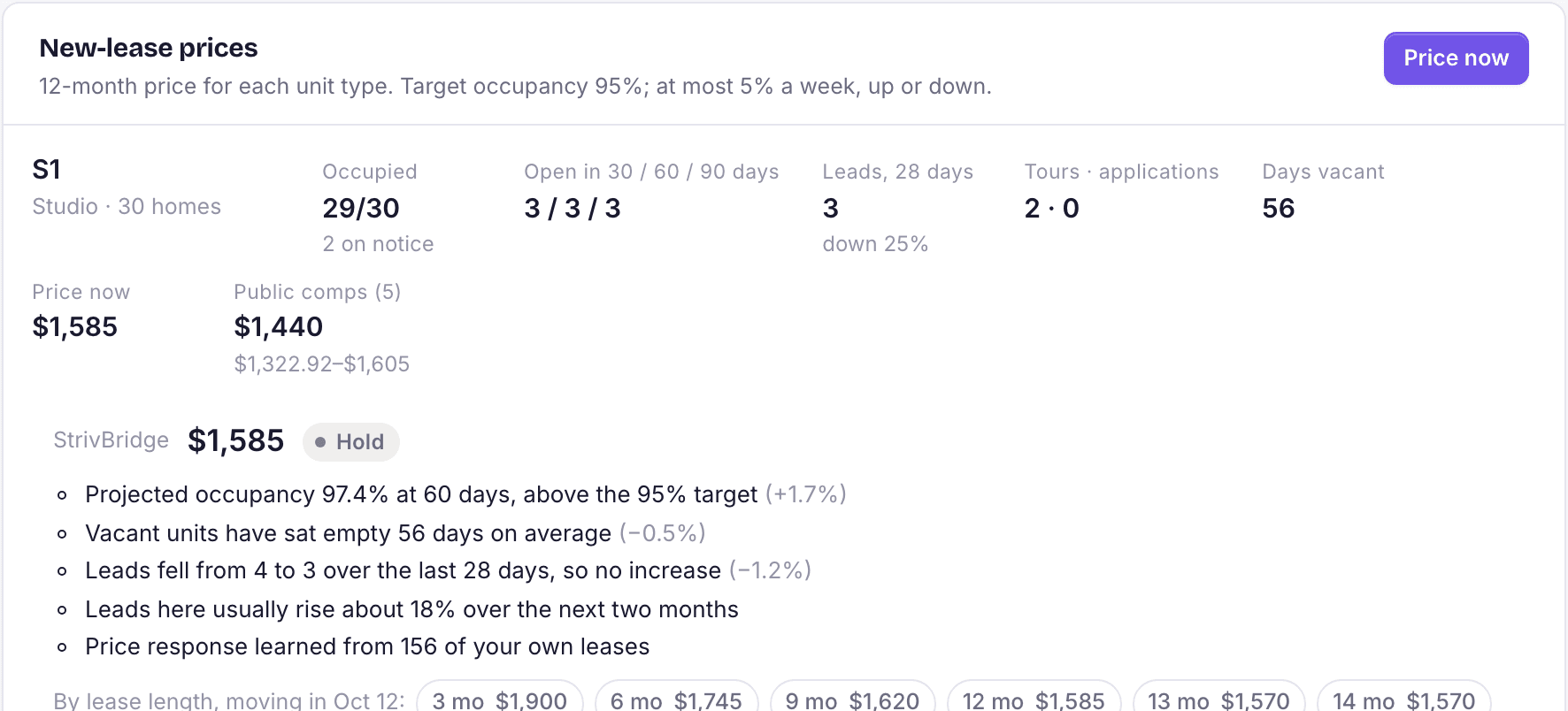
The Prices tab lists each unit type with its current price, the suggested price, and the numbers behind it: occupied or signed, open in 30, 60 and 90 days, days vacant, leads in the last 28 days, tours and applications, and current rents against the market.
Weekly routine
- Open Leasing › Pricing › Prices and pick the property.
- Press Price now if a unit type shows no price yet.
- For each unit type, read the suggestion against the demand numbers. Does it make sense given this week's tours?
- Apply it, Change it to your own number, or Reject it. Add a short Why note either way.
- Check Recent decisions to confirm what went live.
Applied prices flow to your listings, and your AI leasing assistant quotes them. Specials are included in the all-in figure it quotes.
Loading the rest of this lesson…