Answers people find without calling you.
Residents pay, report issues and renew from their phone. Owners see what their property earned and approve spend. Your office gets fewer calls asking where things stand.
No credit card · Full product · Sample data included
On its own
What StrivBridge handles for you.
You set the rules once. These run without anyone pressing a button, and anything that needs a decision waits for one.
- Charges autopay on the due date for residents who switch it on
- Files maintenance requests and sends pay links from the resident assistant
- Reminds residents about open move-in items 14, 7 and 2 days before
- Sends renewal notices before the lease ends
- Tells owners their monthly pack is ready, without figures in the email
Rent paid from a phone.
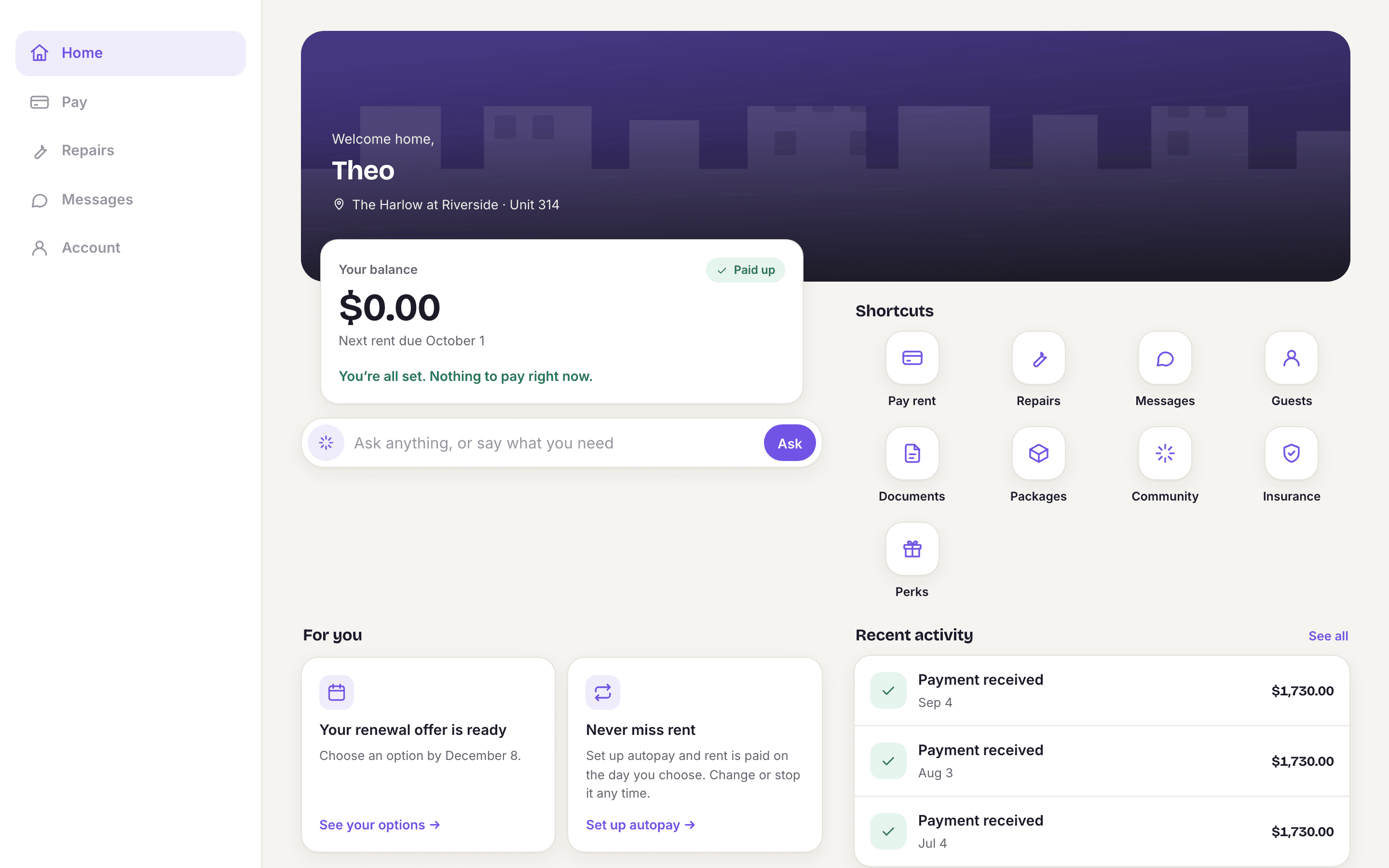
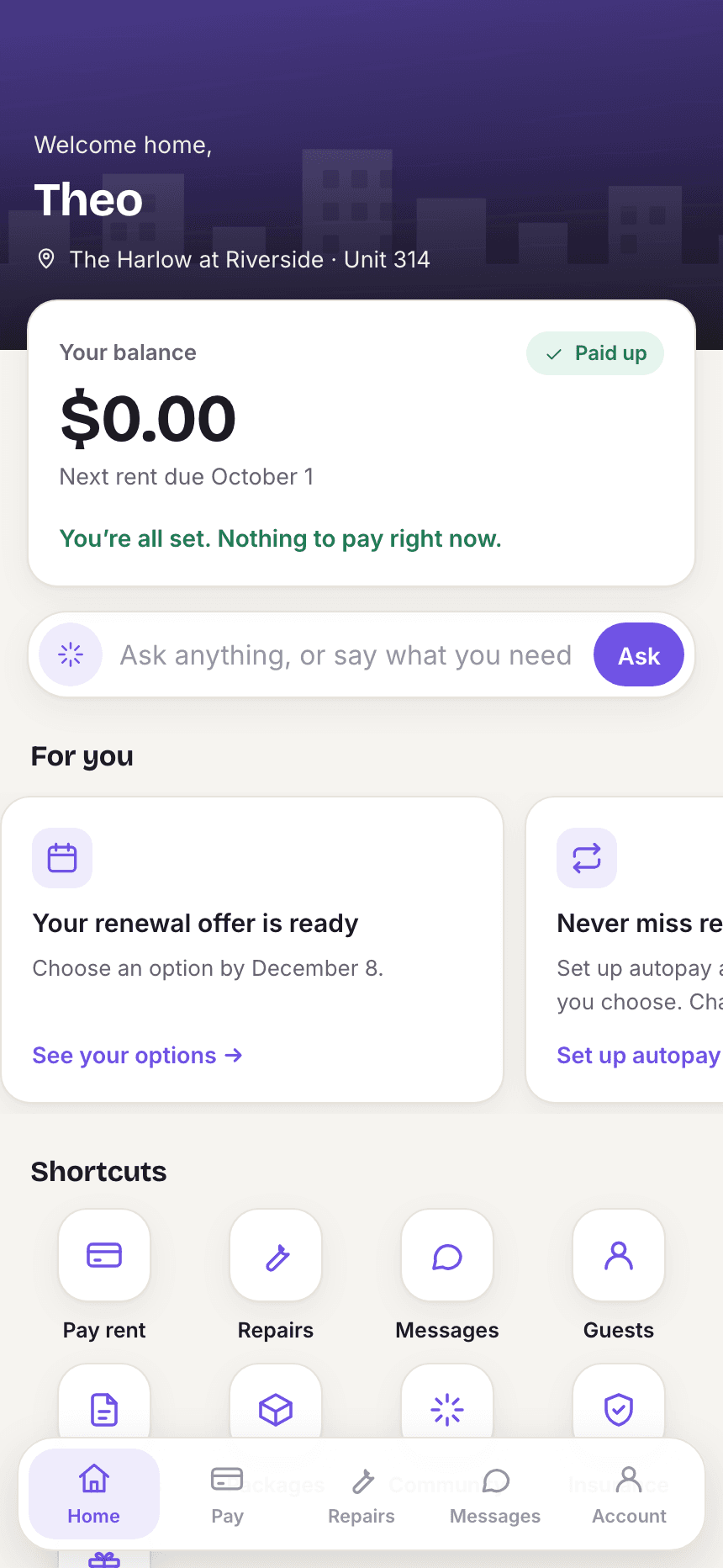
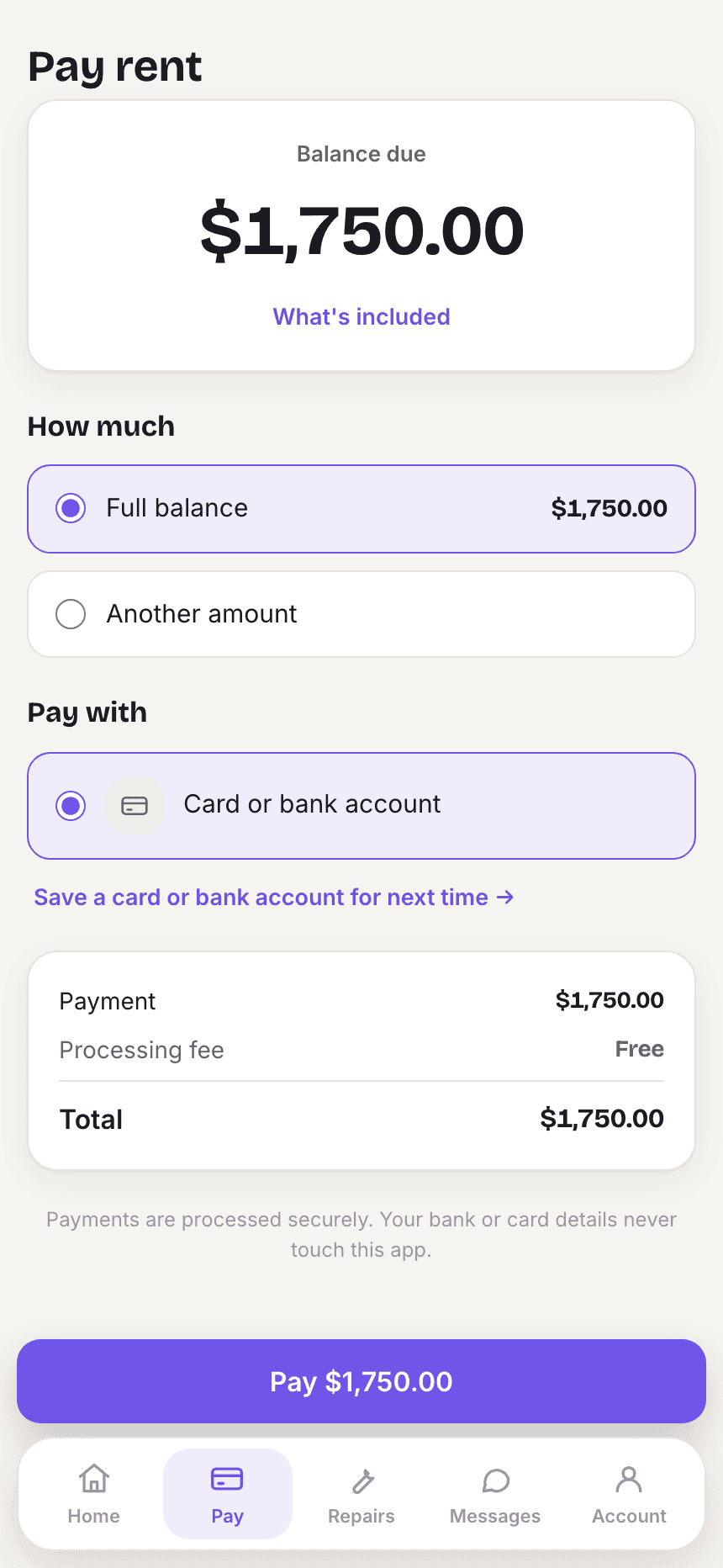
Residents see their balance straight from the ledger, pay online, save a payment method and switch on autopay. A resident on a payment plan sees each installment and what is left.
- Autopay and saved payment methods
- Payment history and receipts
- Payment plan progress
Repairs reported the right way first time.
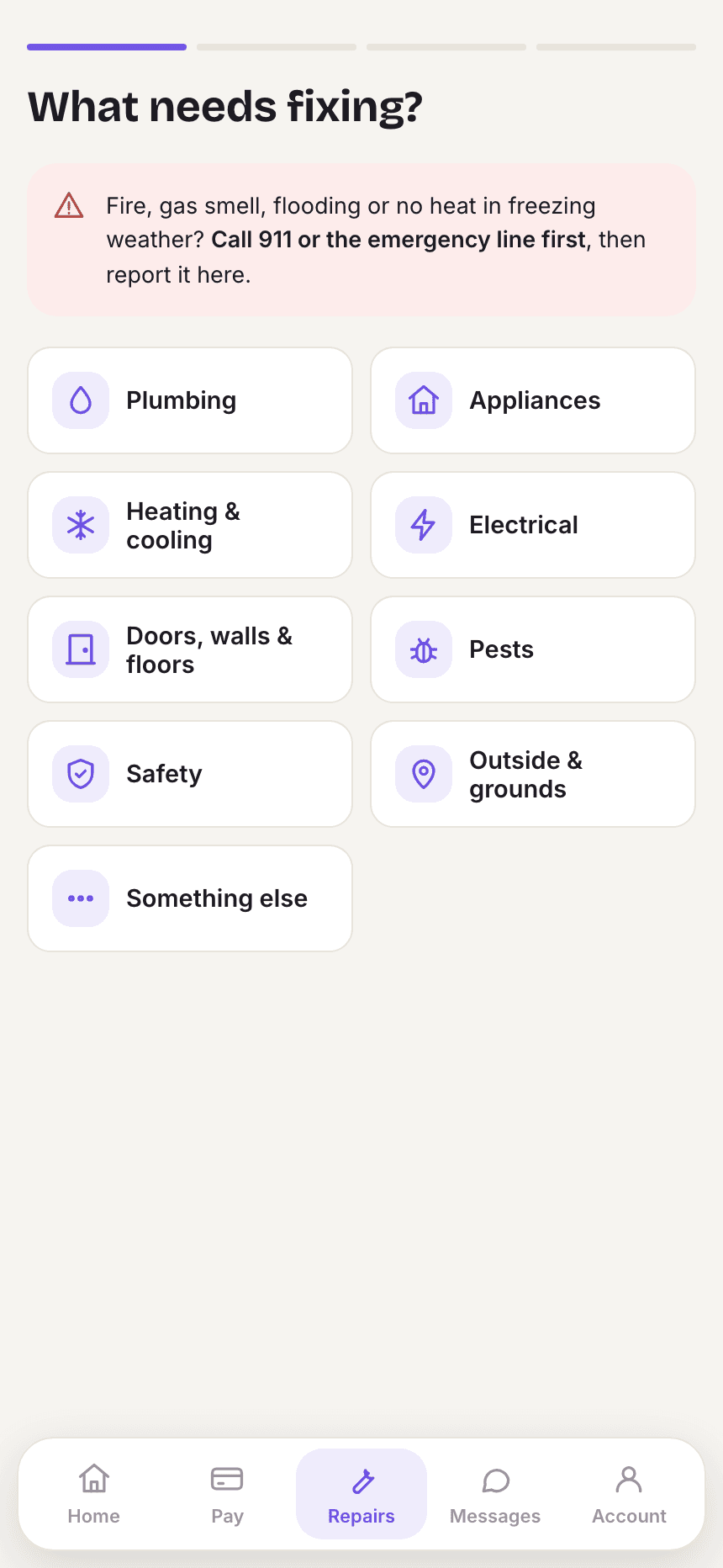
Residents pick what needs fixing, add photos and say whether you may enter. Emergencies are flagged before anything else, and every request is followed through to done. The assistant in the app can take the same request by chat.
- Photos and permission to enter
- Status from reported to done
- Emergency warning up front
A building, not just a balance.
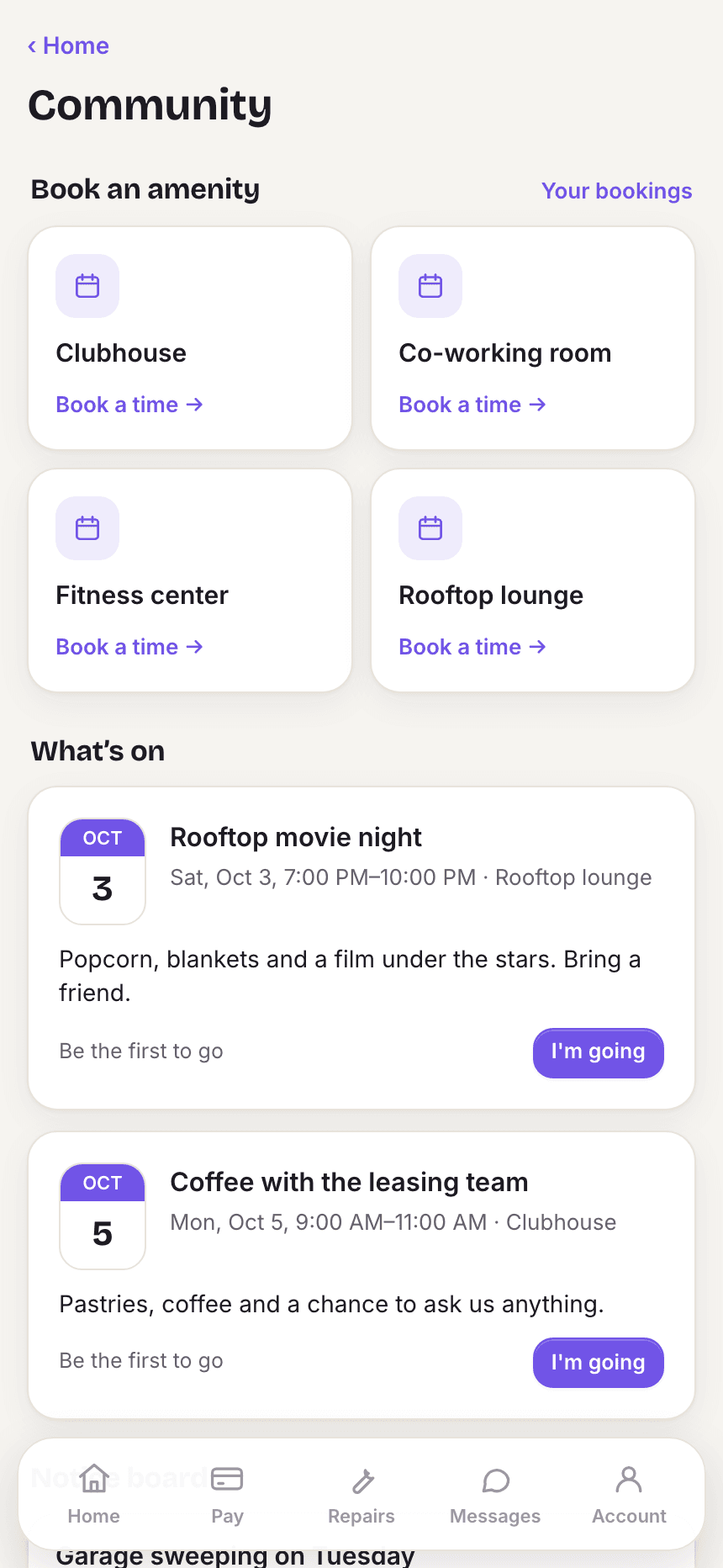
Residents book the clubhouse or the rooftop, join events, see notices and tell the front desk who is visiting. Renewal offers, documents and messages to your office sit in the same app.
- Amenity bookings and events
- Guest passes for the front desk
- Renewal offers to accept or decline
Owners see it for themselves.
Each owner signs in once to see every property they own: rent collected, net income and what was paid to them over twelve months, plus statements, monthly packs and the approvals you send them.
- Statements and monthly packs as PDFs
- Payouts over the last twelve months
- Approvals for spend over their limit

Everything in resident and owner apps
Built in, not bolted on.
Online rent and autopay
Pay the real balance online, save payment methods, and switch autopay on or off.
Maintenance requests
Report an issue with photos and entry permission, and follow it through to done.
Renewals
See the offer, accept it, and sign the renewal without a trip to the office.
Documents and messages
Leases and notices in one place, and messages to your office from the portal.
Move-in checklist
New residents see what is still open before move-in and book a key pickup time where you offer one.
Community
Amenity reservations, package pickups and renters insurance on file.
Resident assistant
Answers from the resident's own account and acts on it: requests, pay links, payment arrangements and amenity bookings.
Owner portal
Twelve-month rent, net income and payouts, statements, monthly packs, documents and approvals, for every property under one login.
Guests and door codes
Residents tell the front desk who is coming. With a smart lock connected, a guest gets a door code that works only on the visit days.
Phone, tablet or computer
One resident app that fits the screen: a phone layout, a wider tablet view and a full layout with a sidebar on a computer.
Your branding
Your logo and colors in the resident app and the owner portal, so residents and owners see your company.
Questions
About resident and owner apps in StrivBridge.
Do residents need to download an app?
No. The portals work in any phone or desktop browser. Residents can also add them to their home screen.
Can an owner with several properties see them all?
Yes. One owner login covers every property they own.
Can the resident assistant see other residents' information?
No. It only reads the signed-in resident's own records. By text or phone it confirms the resident's unit and last name before discussing or changing anything.