AI that does the work. You make the calls.
An AI leasing agent that answers every lead, a resident assistant, collections reminders, daily pricing, and Rivr, the assistant for your team that builds reports and workflows from a sentence. Every bit of it is in the $5 plan.
No credit card · Full product · Sample data included
SMS · (720) 555-0142
Hi! Any 2 bedrooms at The Harlow for November? Budget is around $1,900.
Hi Maya, I'm Harper, the AI leasing assistant for The Harlow. Unit 402 is a 2-bed, 1,020 sq ft, $1,885 on a 12-month lease, ready Nov 1. Want to see it?
On its own
What StrivBridge handles for you.
You set the rules once. These run without anyone pressing a button, and anything that needs a decision waits for one.
- Answers leads by text, email and phone on your company's leasing number
- Handles resident requests, pay links and amenity bookings
- Reminds residents who are behind, with the real balance and a pay link
- Runs your workflows on events, dates and schedules
- Parks every change Rivr proposes in an approval queue
- Sends automated messages only within your sending hours
Leads and residents answered on every channel.
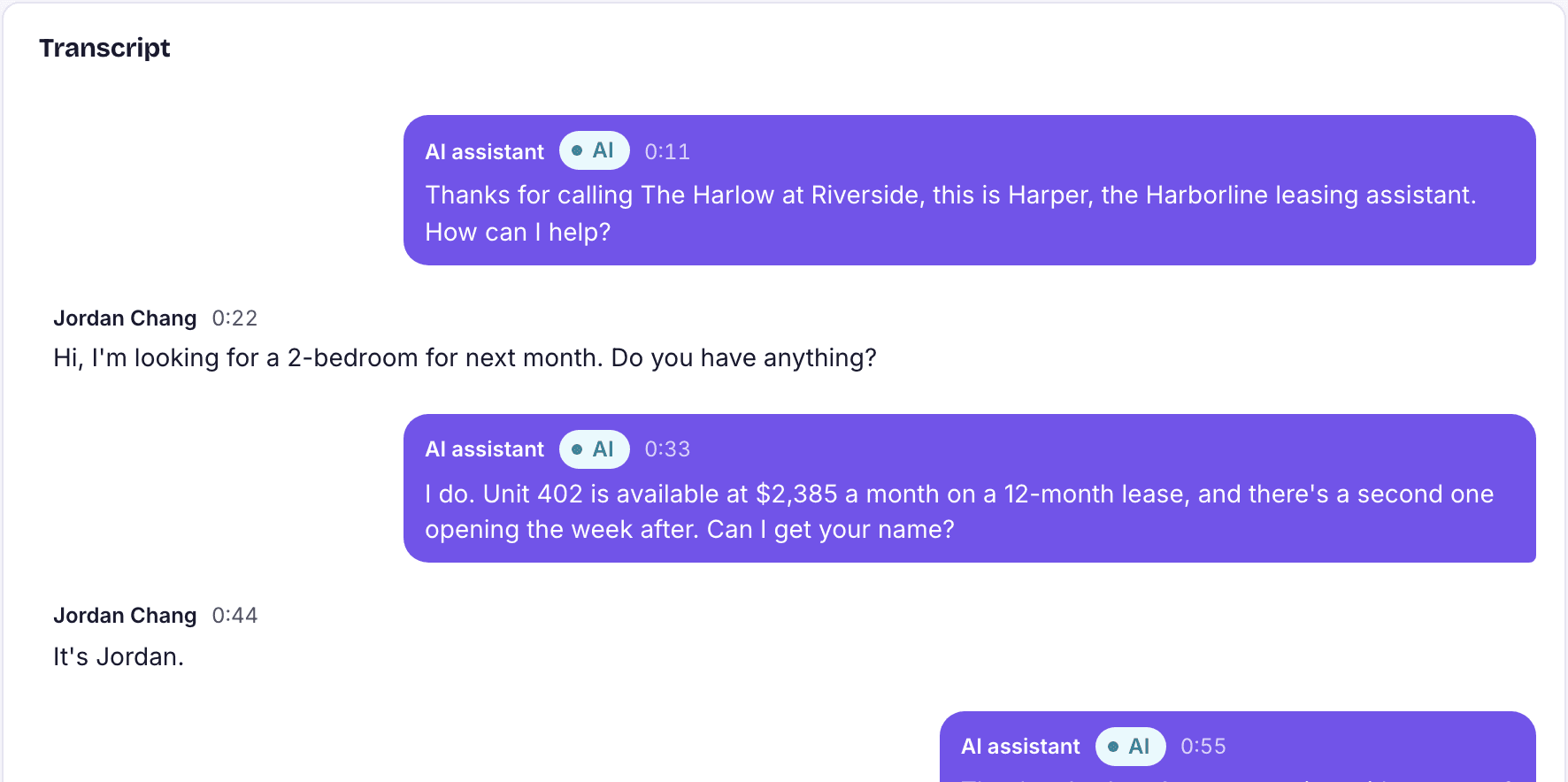
The leasing agent answers prospects by text, email and phone; the resident assistant helps residents in the portal, by text and on the phone. Both work from your real records, file everything to the right person's record, and hand off to your team when they should.
- One leasing number and assistant name per company
- Call summaries, transcripts and recordings kept
- Your team takes over any conversation
Rivr, an assistant for your team. Ask it in a sentence.
Rivr sits on every page. Ask about the record in front of you, the whole portfolio or a report you need, and it answers from your real data with your permissions. When the answer is a change, Rivr drafts it as a before-and-after preview in the approval queue. It never writes to your records itself.
- Knows the page you are on
- Builds and runs reports from a sentence
- Learns your company: instructions, memory and saved procedures
- Approver's own permissions checked at approval
Automations from a sentence. Checked before they run.
Describe the automation you want and Rivr builds it in the same form as the workflow editor, so you can change any step by hand. It is checked for mistakes and dry-run against your data, so you see which leases it would start on before anyone switches it on.
- Start on an event, a date such as 60 days before a lease ends, a schedule or a webhook
- Message residents or owners, notify staff, open a work order, charge a fee, wait or ask a person
- Nothing runs until a person turns it on
Collections that follow your rules.
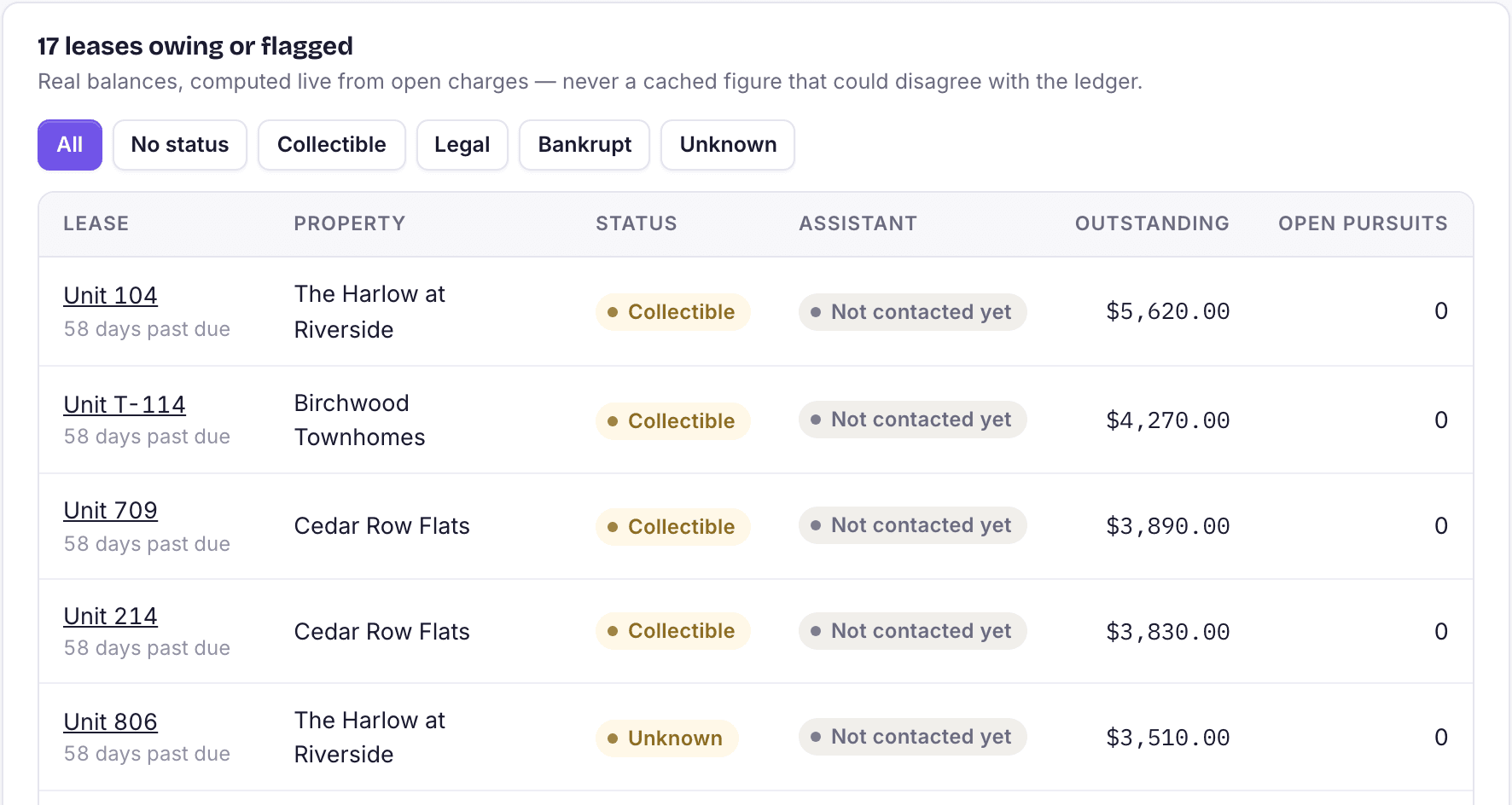
Once a lease is past due, the assistant texts and emails its leaseholders with the balance from the ledger, a pay link and an offer of a payment plan inside your limits. It stops the moment someone disputes a charge or mentions an attorney, bankruptcy or military service.
- A weekly cap per person
- Payment plans wait for staff approval, unless you allow auto-approve
- Pause outreach on any lease
Everything in ai
Built in, not bolted on.
AI leasing agent
Answers text, email and calls, quotes all-in prices from your listings, books tours and follows up until the lead tours.
Resident assistant
Files work orders, sends pay links, notes promises to pay and books amenities, after confirming who it is talking to.
Collections reminders
Texts and emails about past-due balances within your sending hours and weekly cap, with a pay link and payment plan offer.
Rivr, the staff assistant
Ask about any record, build reports and draft changes that wait in the approval queue.
AI report builder
Describe a report in plain English and get a working report from your own data, editable like one you built by hand.
AI workflow builder
Describe an automation in a sentence, review the steps and the dry run, then switch it on. Edit it by hand any time.
Rivr memory and skills
Give Rivr standing instructions, facts to remember and named step-by-step procedures, kept to yourself or shared with the team.
AI pricing
A recommended price for every unit type each morning, with the reasons, from your own leasing data only.
AI audit log
What the AI decided and whether a person accepted, edited or overrode it.
Says it is an AI
The assistant introduces itself as an AI on every channel, and phone calls open with a recording notice.
Sending hours
Automated messages go out only within your sending hours, 8am to 8pm by default in the property's time zone, and stop when someone opts out.
Fair-housing rules
The assistant will not discuss neighborhood safety, schools or who lives there, and hands accommodation requests to your team. It is tested with paired questions that differ only by a protected trait.
Questions
About ai in StrivBridge.
Is the AI an add-on?
No. The leasing agent, resident assistant, collections reminders, Rivr, the report and workflow builders and AI pricing are all in the $5 per unit plan.
Does the AI make changes on its own?
The assistants act on narrow, defined tasks such as booking a tour or filing a work order. Changes to money or leases wait for a person, apart from options you switch on yourself, such as auto-applying small price changes.
Can Rivr see data I cannot?
No. Rivr works as you: it answers, builds reports and drafts changes with your permissions, and each change is checked again against the approver's permissions.
Will residents and prospects know they are talking to an AI?
Yes. The assistant always says it is an AI, and calls open with a notice that they may be recorded.
Can we see what the AI did?
Yes. Conversations and calls are filed to each person's record, resident actions show on the Resident AI page, and the AI audit log records decisions and what your team did with them.