Lesson 1 of 4 · 6 min
A tour of the resident portal
What residents can do on their own, so you can point them to it with confidence.
The resident portal is where residents pay, ask for repairs, and handle the paperwork of living with you. The more they do there, the less your phone rings.
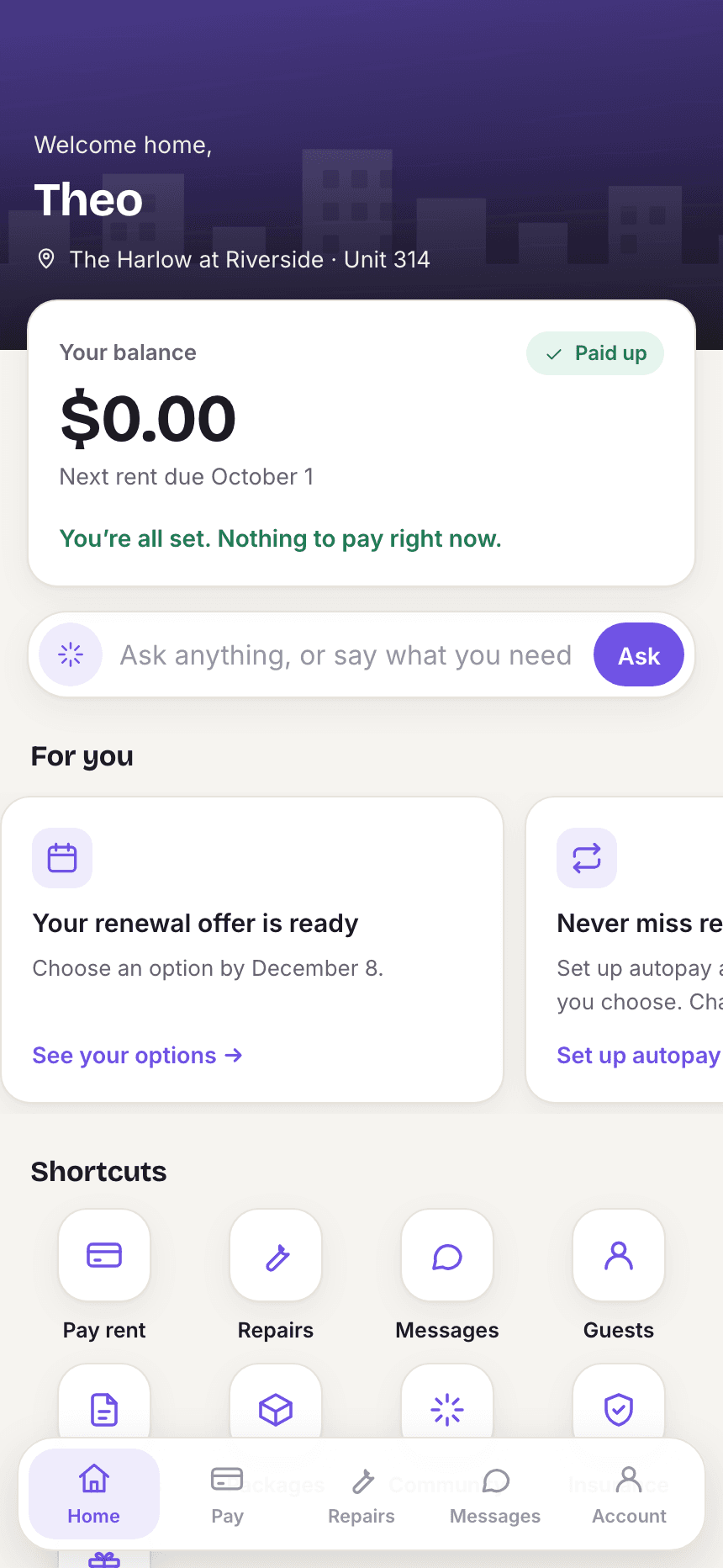
- Home: balance, anything needing action, and announcements from the office.
- Pay: one-time payments with a saved method or through secure checkout, payment history, saved payment methods and autopay.
- Rent plan: if the resident arranged a payment plan, every instalment and whether the office has approved it.
- Maintenance: submit a request with a description and photos, pick a two-hour window, and follow its progress.
- Messages: message staff directly.
- Documents: the lease and anything else the office shares.
- Insurance: add the renter's policy with carrier and policy number.
- Community: book amenities and RSVP to events.
- Packages: anything the office signs for on the resident's behalf.
- Renewal: see renewal offers and renew online, or tell the office they are leaving and why.
- Move-in checklist: add utilities and book key pickup before move-in.
- Assistant: ask your AI assistant to file a request, get a pay link, or pass a message to the office.
Loading the rest of this lesson…